
Alert status in teacher portal
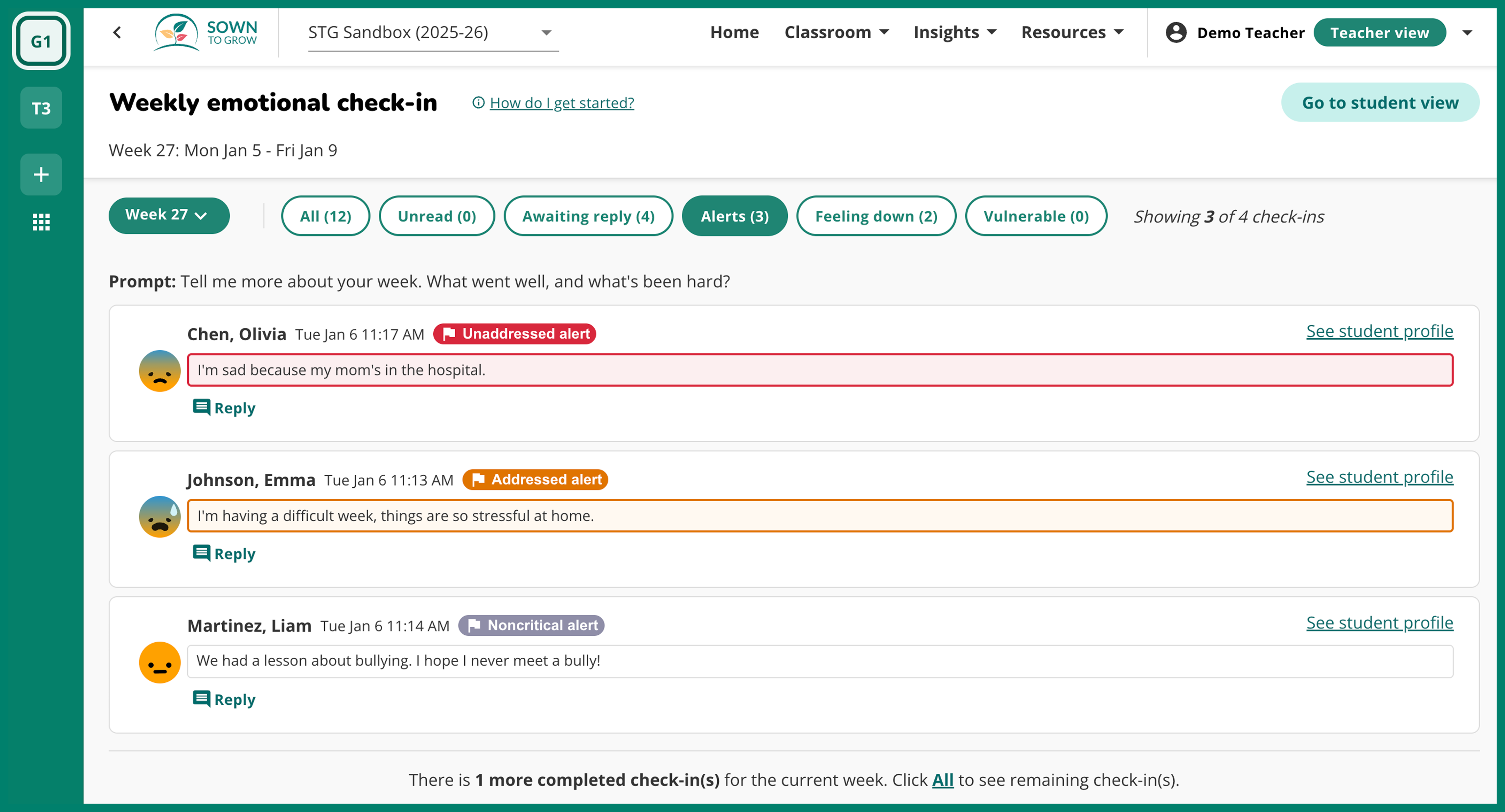
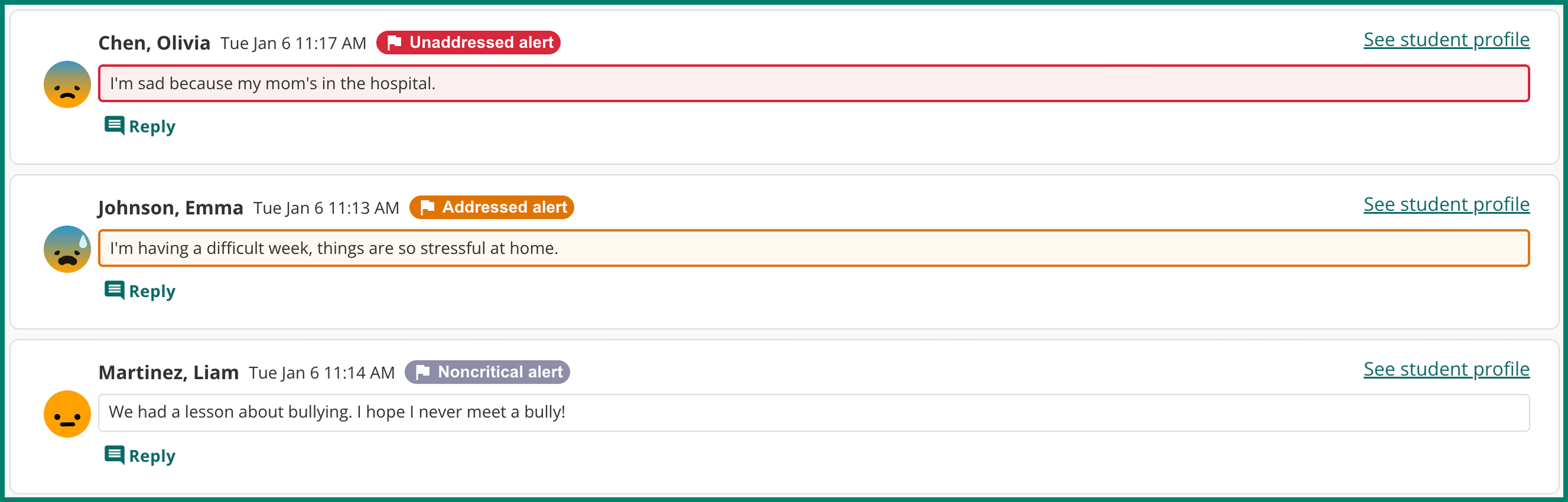
Teachers can now see the status of any concerning alert within their teacher portal. Concerning student reflections are color-coded with tags denoting the alert status.
An alert can have one of the following three statuses:
- Unaddressed alerts - A concerning student reflection that has been flagged as an alert by the Sown To Grow Alerts system or by a teacher, but has not yet been marked as addressed by an administrator.
- Addressed alerts - This means an administrator has viewed the alert and marked it as addressed. Admins are encouraged to mark an alert as addressed once they have taken appropriate action to follow up on the concerning reflection, based on their school’s alert response protocols.
- Noncritical alerts - Student reflections that were flagged as an alert by the Sown To Grow Alerts system or by a teacher, but were later deemed not concerning by an administrator.
As a reminder, the Sown To Grow Alerts system identifies and flags student reflections with concerning language. Teachers and designated administrators receive email notifications for alerts. Teachers can view concerning alerts by clicking on the “Alerts” filter within a given check-in. Admins with Alerts privileges can access their alerts portal by clicking “Alerts” within their school portal.
.png)
While the Sown To Grow Alerts system is a powerful tool, it has limitations like any automated system. If you come across a concerning student reflection that was not flagged, teachers can send an alert by clicking the “Flag as alert” button beneath the reflection. Reporting missed alerts here also helps us improve the system over time.
