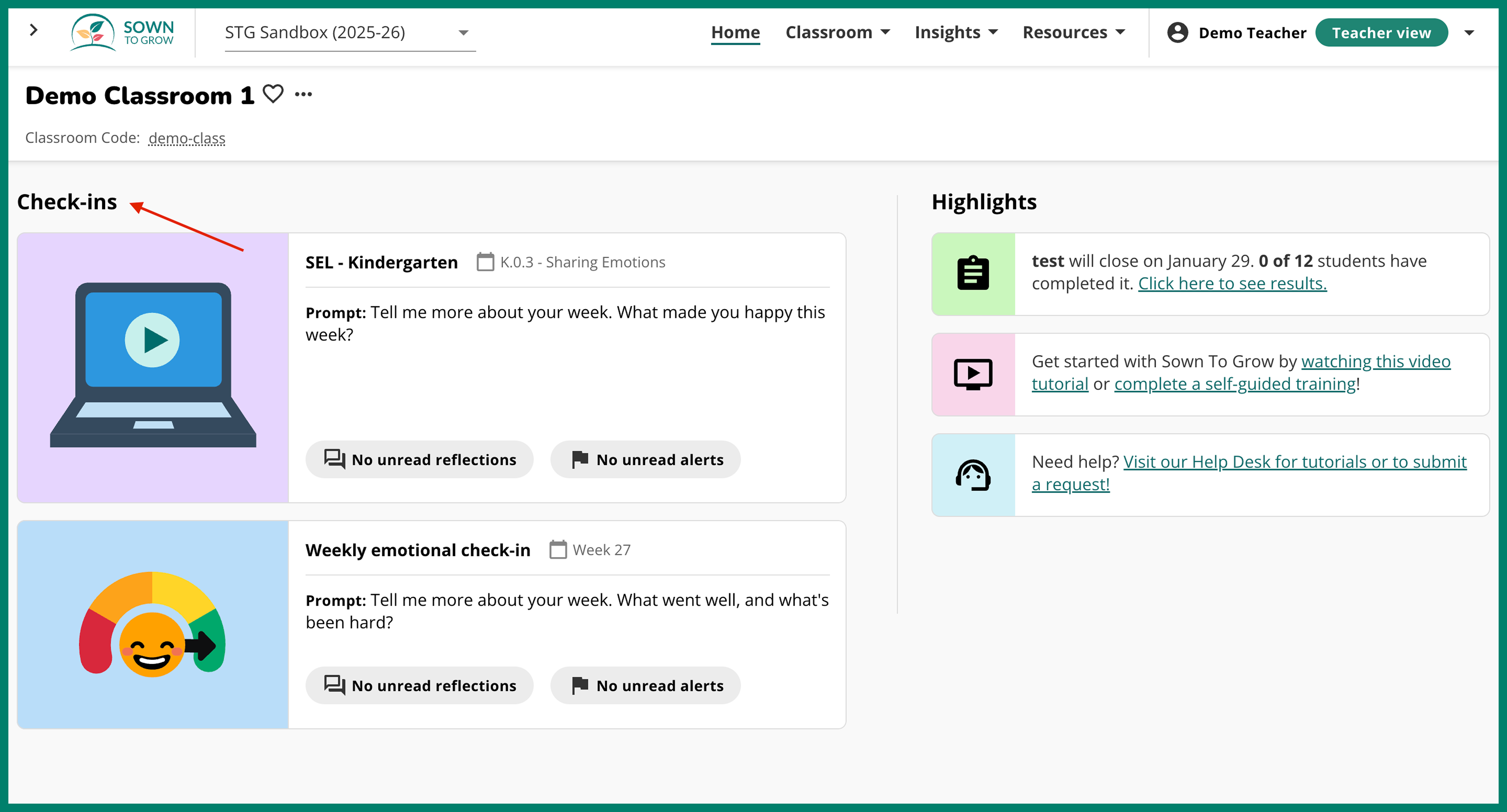
Teachers can easily see which check-ins haven't received a response
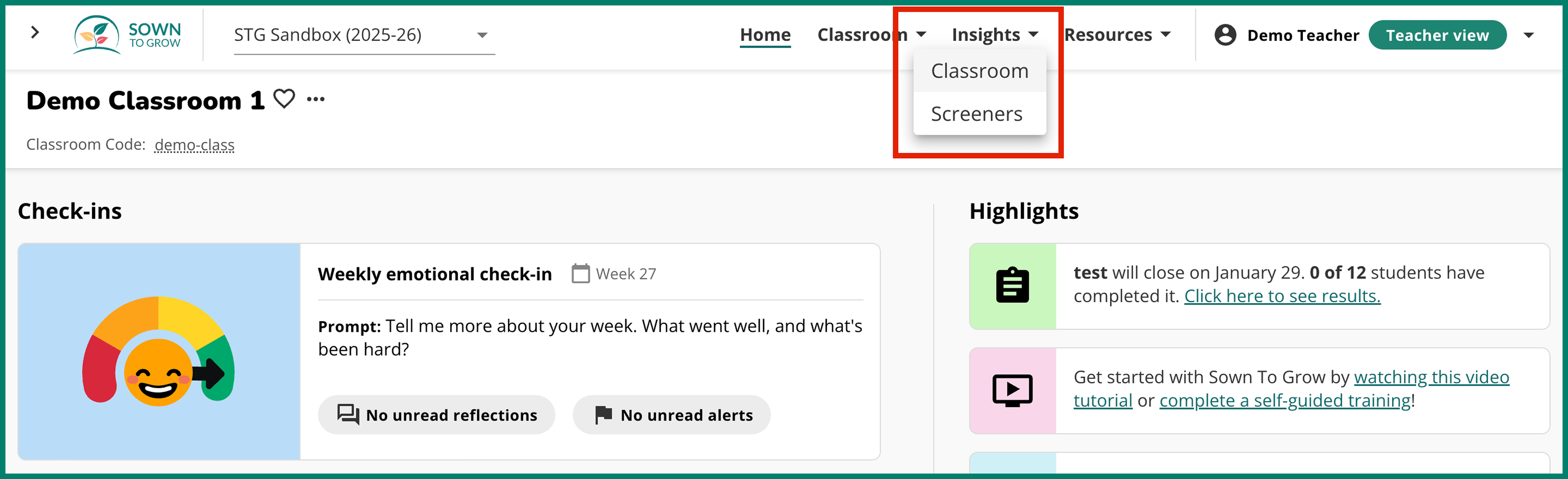
Teachers can now see a comprehensive list of ALL student reflections in their class that have not yet received a teacher response, regardless of the module type or the reflection date. Teachers can access this list by clicking "Insights" in the top level navigation, and then clicking "Classroom".
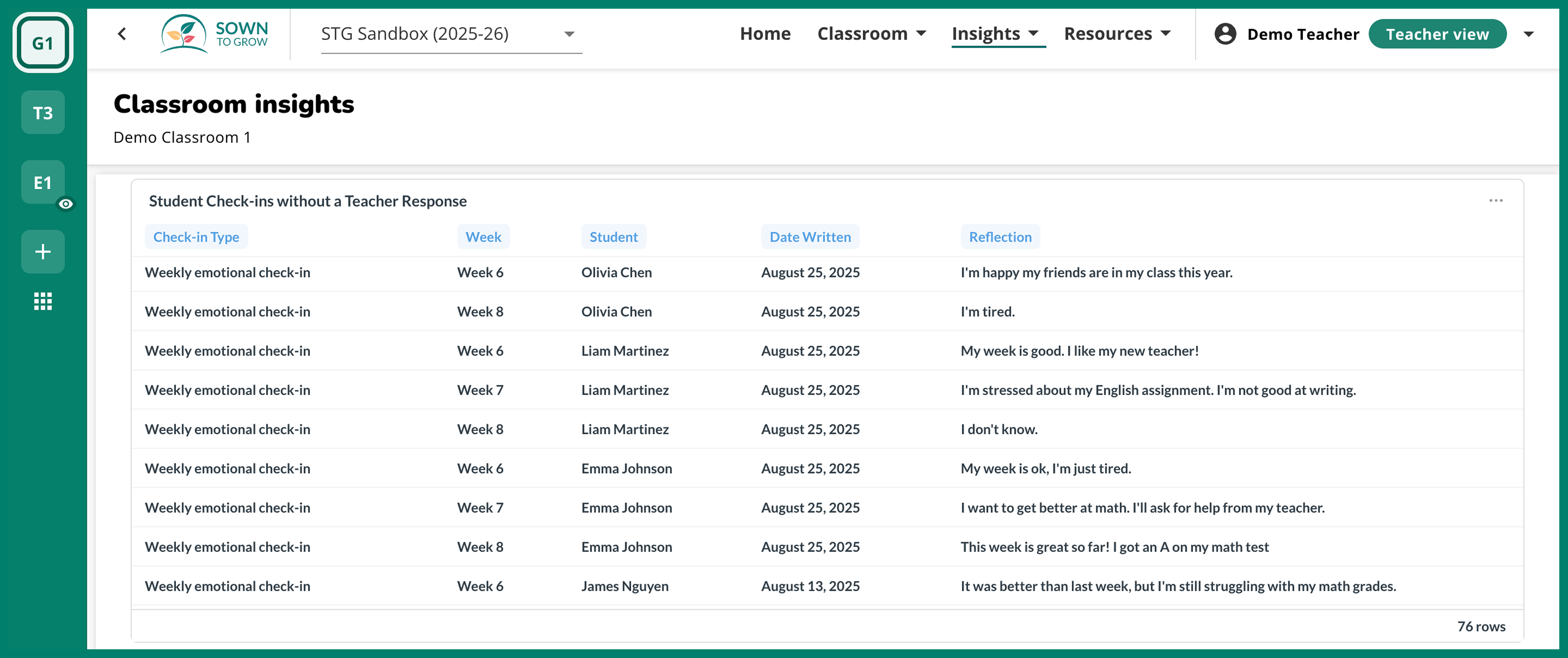
Once you're in the "Classroom insights" page, scroll down until you see the "Student Check-ins without a Teacher Response" table. For each check-in in this table, you'll see the check-in type, week number, check-in date, and student name. You'll need to know the check-in type and week to respond to a check-in.
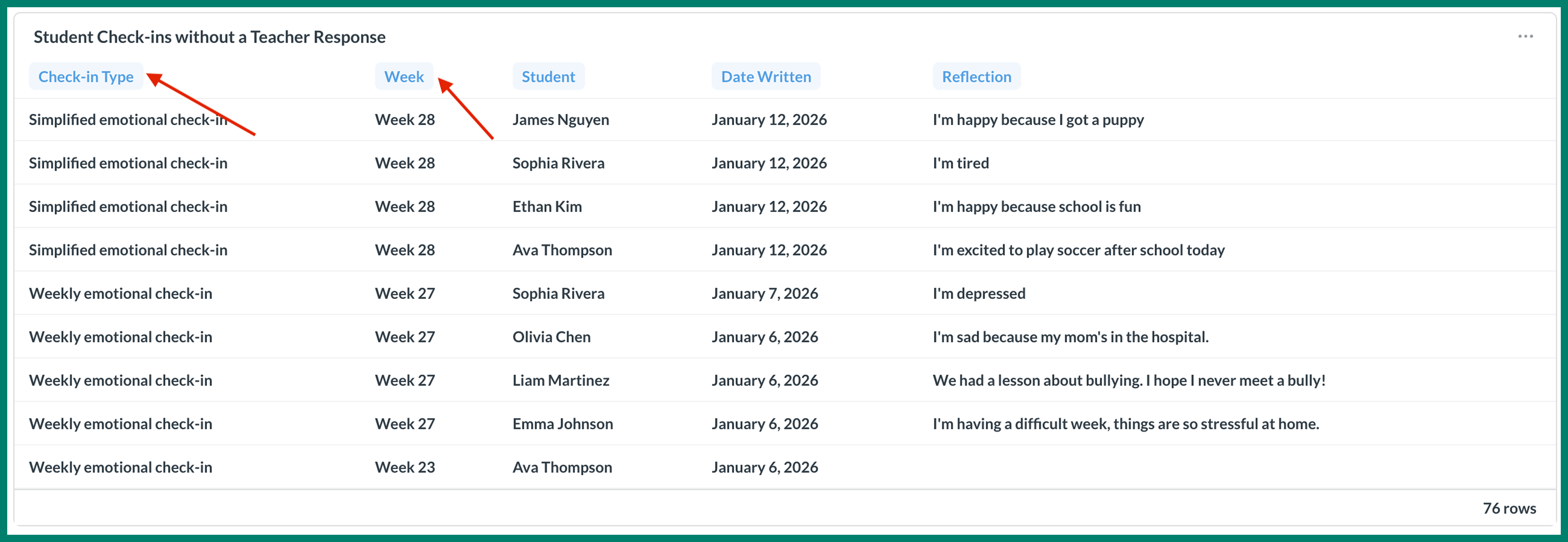
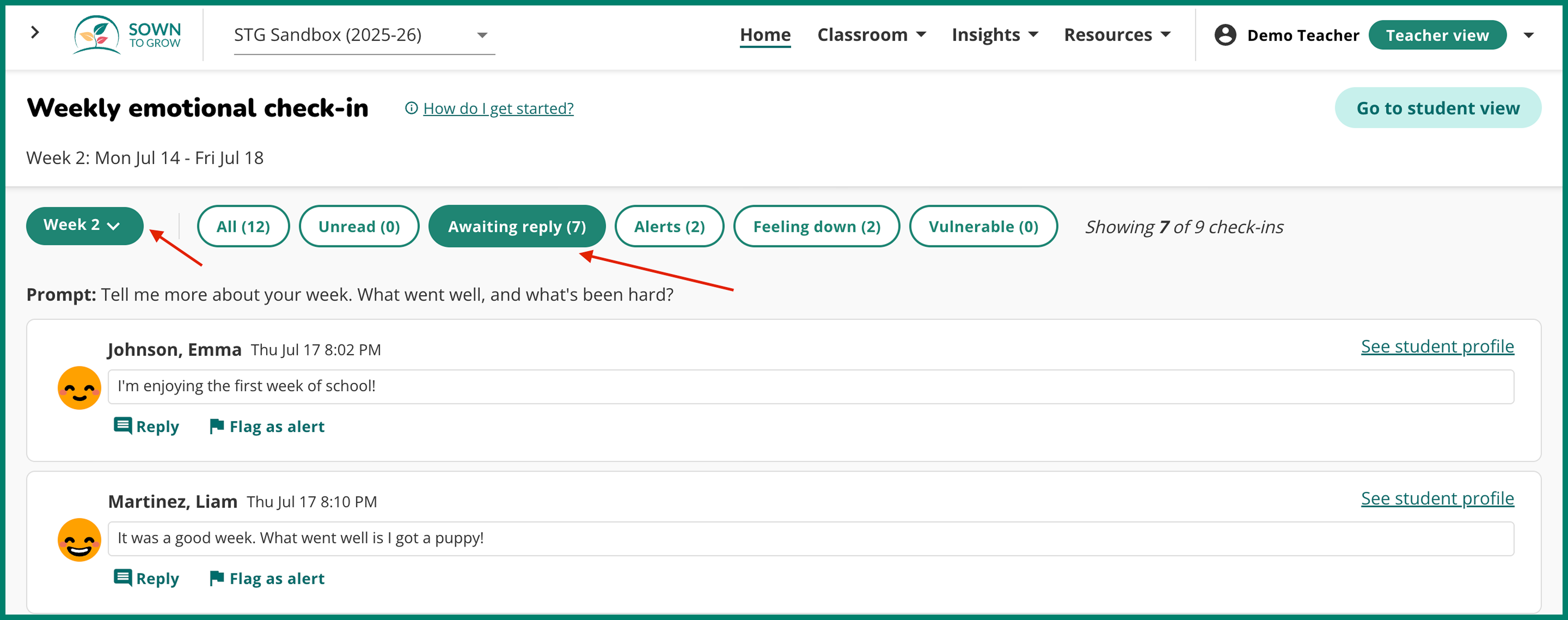
In order to respond to these check-ins, teachers must go to the "Check-Ins" page(s) and then go to the correct week. See the table above to find the check-in type and week number. Once you are in the correct week and check-in page, use the "Awaiting reply" filter to see all student check-ins for that week that have not received a teacher response.