
Admins can view student profiles in Alerts & MTSS portals
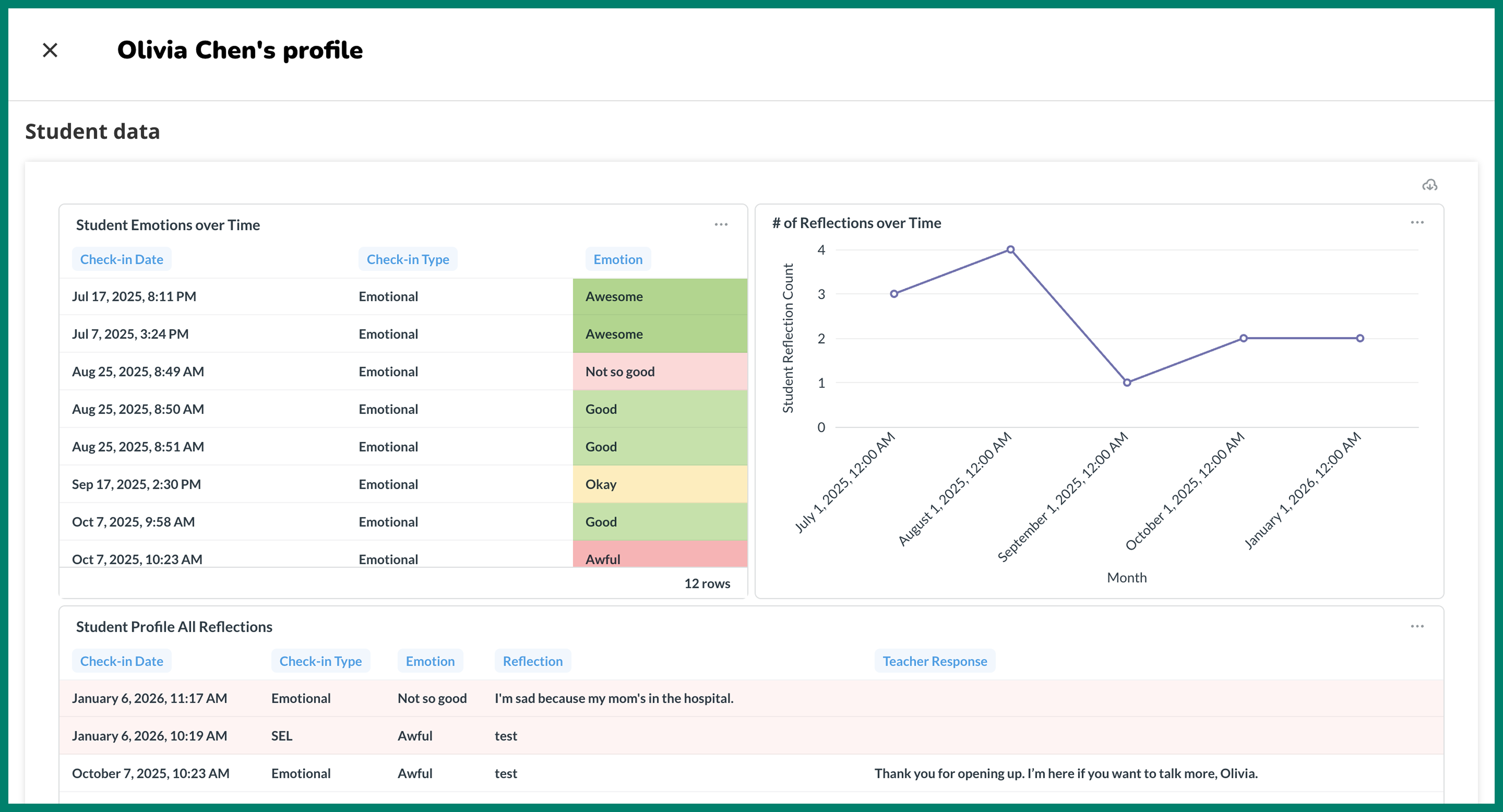
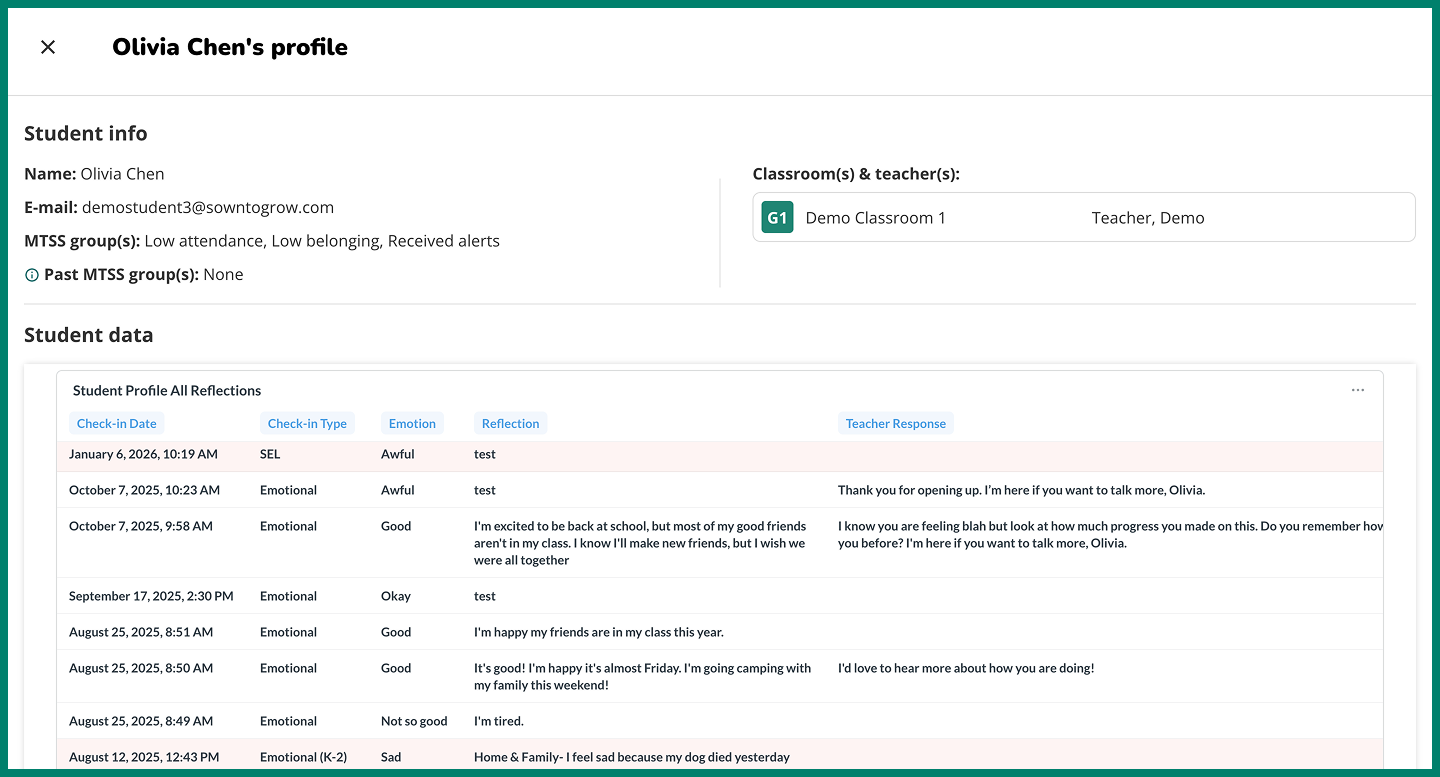
School admins can now view an individual student’s profile from the Alerts portal and the MTSS Groups portal. The student profile contains basic information, such as which classrooms and MTSS groups the student belongs to, along with all data the student has entered into Sown To Grow. This includes all of the student’s reflections, along with their screener results.
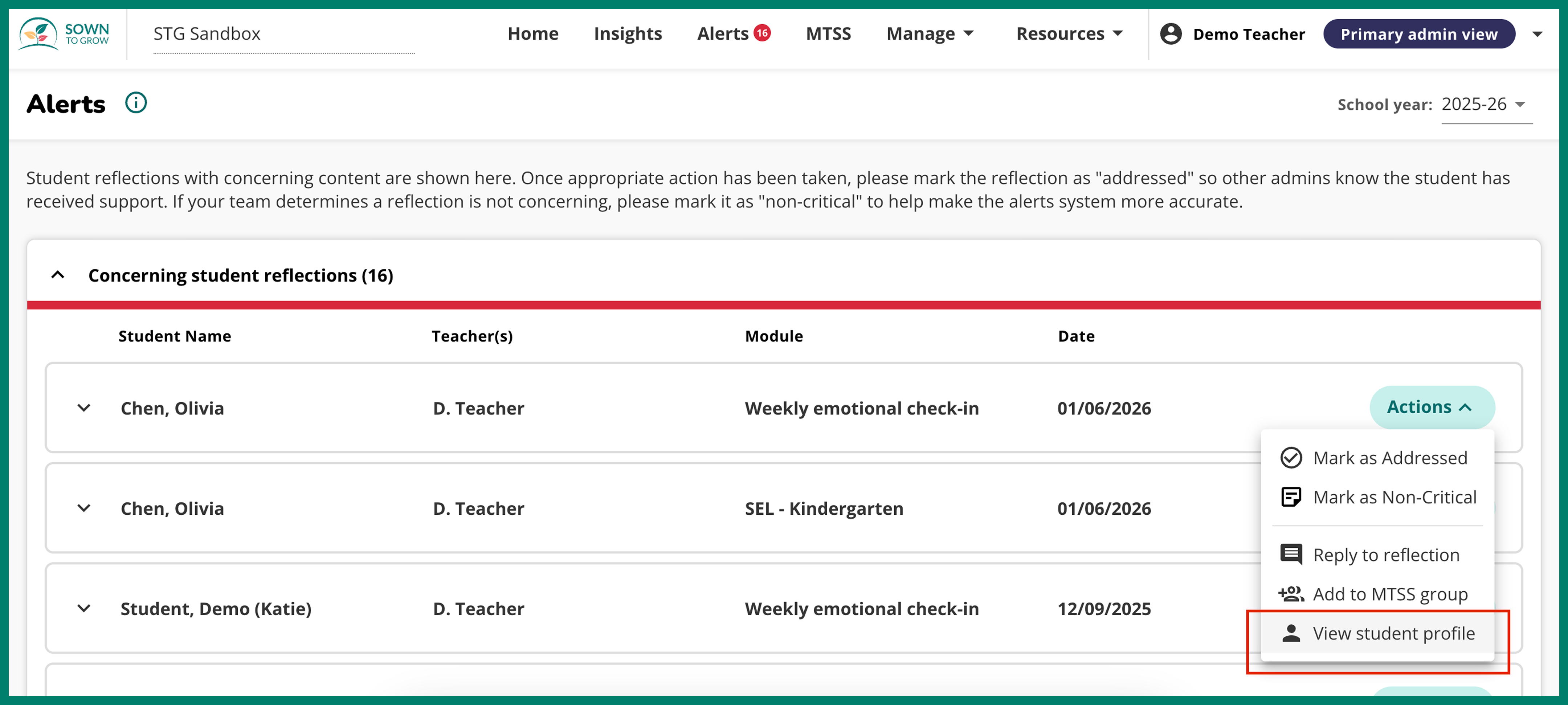
To view a student’s profile from the Alerts portal, click on the “Actions” button and then click “View student profile”.
Note:: The Alerts portal is only accessible to admins with Alerts privileges. Reach out to your implementation lead to gain access. If you or teachers at your school ever notice a concerning student reflection that was not flagged as an Alert, please report it here to help improve the Alerts system.
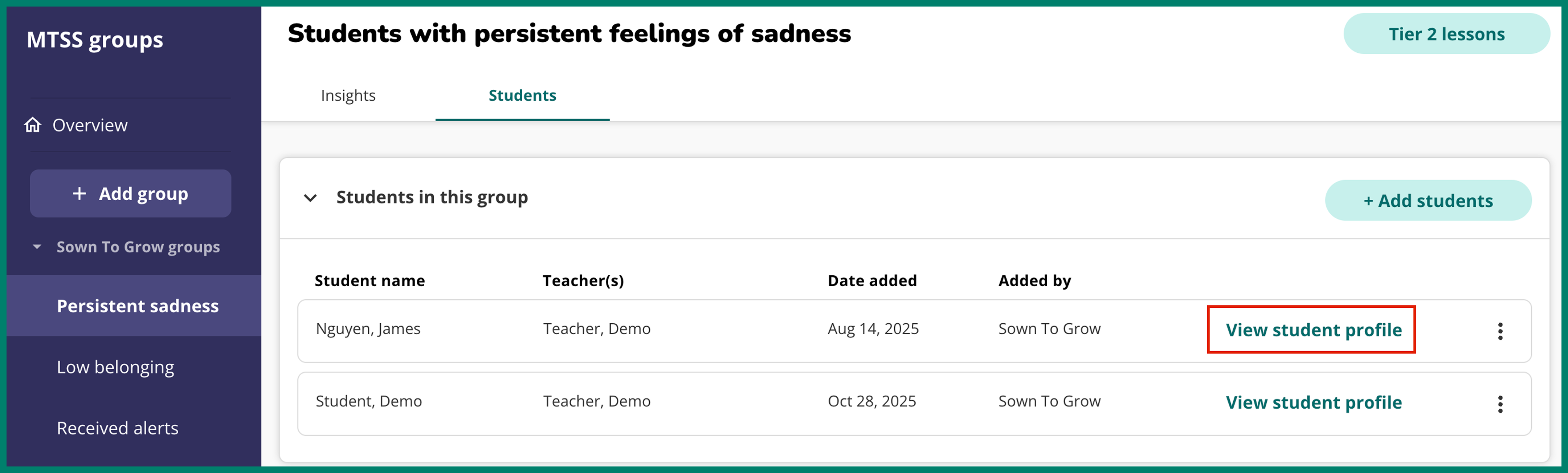
All school admins can also view individual student profiles from the MTSS groups portal. Within any MTSS group, click on the “Students” tab. From there, click “View student profile” to access all info and data associated with that student.
With access to student profiles, school admins can more easily identify needs and provide targeted support for Tier 2/3 students.
